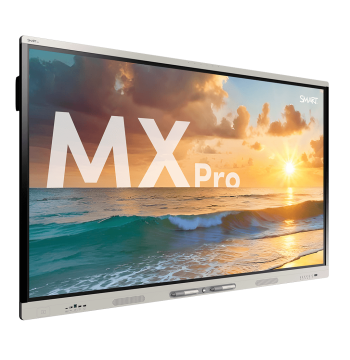
65" · 4K UHD · Android 13


Comparison
 7 min read
MAXHUB vs Samsung vs ViewSonic: which 86-inch panel for a boardroom?
Three current 86" 4K Android panels we list, compared line by line from our catalogue data — and what each difference means for a boardroom that also runs video calls.
7 min read
KEY TAKEAWAYS
- All three — MAXHUB E3 E8630, Samsung WAF LH86WAFWLGCXZA and ViewSonic IFP8652-2ED — are 86" 4K infrared-touch panels listed at 400 cd/m² and 40-point touch.
- MAXHUB and Samsung run Android 14; the ViewSonic runs Android 13 and is EDLA certified.
- The ViewSonic has the widest connectivity (3 × HDMI, DisplayPort, VGA, 2 × USB-C up to 100 W, RS232) and an 8-microphone array; the MAXHUB has 3 × HDMI and 4 × USB 3.0 with a wall bracket in the box; the Samsung has 2 × HDMI.
- None lists a built-in camera — plan a video bar or camera for hybrid meetings.
- Listed power draw: ViewSonic 148 W, MAXHUB 190 W, Samsung under 262 W.
Which 86-inch panel suits a boardroom best?
It depends on what the room connects to. Choose the ViewSonic IFP8652-2ED if the room has older laptops, a room-control system or needs built-in microphones; the MAXHUB E3 if you want the most HDMI and USB 3.0 ports with the wall bracket included; the Samsung WAF if your organisation already standardises on Samsung displays and two HDMI sources are enough.
All three share the core: an 86" 4K panel, infrared touch, 400 cd/m² brightness, 178° viewing angles and an octa-core ARM processor. The differences are in connectivity, audio and software version.
How do the specifications compare?
The figures below are the specifications stored in our catalogue for each model, taken from manufacturer documentation. Check the datasheet for the exact revision you are buying.
| Specification | MAXHUB E3 86" (E8630) | Samsung WAF 86" (LH86WAFWLGCXZA) | ViewSonic IFP8652-2ED |
|---|---|---|---|
| Screen | 86", 4K UHD | 86", 4K UHD | 86", 3840 × 2160 |
| Touch | Infrared, 40 points | Infrared, 40 points | Infrared, 40 points* |
| Operating system | Android 14 | Android 14 | Android 13 (EDLA) |
| Processor | Octa-core A72 × 4 + A53 × 4, 2.2 GHz | A73 × 4 + A53 × 4 | Octa-core A73 × 4 + A53 × 4 |
| Memory / storage | 8 GB / 128 GB | Not listed | 8 GB / 64 GB |
| Brightness | 400 cd/m² | 400 cd/m² | 400 cd/m² |
| HDMI | 3 in, 1 out | 2 in, 1 out | 3 in (HDMI 2.0), 1 out |
| Other video inputs | — | — | DisplayPort × 1, VGA × 1, USB-C × 2 (65 W front, 100 W rear) |
| USB | USB 3.0 × 4, USB 2.0 × 1 | USB 3.0 × 2, USB 2.0 × 2 | USB 3.0 × 3, USB 2.0 × 5 |
| Network / control | RJ45 in × 1, out × 1; Bluetooth 5.2 | Gigabit LAN × 1; Bluetooth | Gigabit LAN × 2; RS232 × 1 |
| Speakers | 2 × 8 W + 2 × 18 W | 2 × 15 W | 2 × 15 W + 15 W subwoofer |
| Microphones | Not listed | Not listed | 8-mic array (5 m typical, 8 m max.) |
| Power consumption | 190 W | < 262 W | 148.12 W |
| Wall mounting | WIB9060H bracket included | VESA 800 × 600 mm | VESA 800 × 600 mm |
| Dimensions (W × H × D) | 1959 × 1179 × 100 mm | 1961.8 × 1163.9 × 87.7 mm | 1971.2 × 1212.5 × 121.4 mm |
| In the box | Remote, 2 styluses, wall bracket, Wi-Fi module | Remote, 2 touch pens | Remote, 2 touch pens, RS232 adapter, camera plate |
| Warranty | Confirmed on quotation | Confirmed on quotation | 3 years (listed) |
Touch points on the ViewSonic
Our listing shows 40-point touch. ViewSonic's own product page states 20 points under Android and 40 under Windows, so if 40-point multi-user writing in Android matters to you, confirm it against the datasheet.
MENTIONED IN THIS GUIDE
MAXHUB E3 86" 4K, Android 14, 8GB/128GB (E8630)
86" · 4K UHD · Android 14 · 40 pt touch
MENTIONED IN THIS GUIDE
Samsung WAF 86" 4K Interactive Display, 40-Point Touch, Android 14 (LH86WAFWLGCXZA)
86" · 4K UHD · Android 14 · 40 pt touch
MENTIONED IN THIS GUIDE
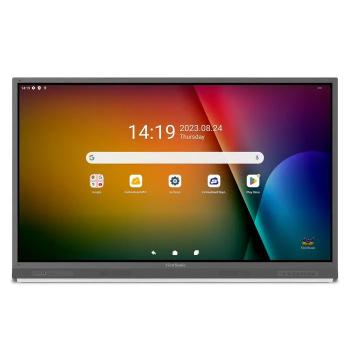
ViewSonic ViewBoard 86" 4K EDLA Android Interactive Display (IFP8652-2ED)
86" · 4K UHD · Android 13 · 40 pt touch
Can these panels run video meetings on their own?
Not fully. None of the three lists a built-in camera, so a hybrid boardroom needs a camera or video bar. The ViewSonic lists an 8-microphone array (5 m typical pickup, 8 m maximum), which helps in smaller rooms; around a boardroom table, a dedicated video bar or table microphones usually give better coverage.
If the room runs Microsoft Teams Rooms or Zoom Rooms, choose a certified video bar — the Yealink MeetingBar A30, for example, is listed as certified for both — and check it against Microsoft's and Zoom's certification lists.
MENTIONED IN THIS GUIDE
Yealink MeetingBar A30 4K Video Conferencing System, Teams/Zoom Certified (A30)
Android 9.0
Which one connects to the most sources?
The ViewSonic: 3 × HDMI 2.0, DisplayPort, VGA and two USB-C ports (65 W front, 100 W rear — enough to power many laptops over one cable), plus 2 × Gigabit LAN and RS232 for room-control systems. The MAXHUB has 3 × HDMI in, 4 × USB 3.0 and 1 × USB 2.0, and RJ45 in and out. The Samsung has 2 × HDMI in, 2 × USB 3.0, 2 × USB 2.0 and one Gigabit LAN port.
Which has the strongest built-in audio?
By listed output: MAXHUB 2 × 8 W + 2 × 18 W, ViewSonic 2 × 15 W plus a 15 W subwoofer, Samsung 2 × 15 W. Built-in speakers are fine for presentations in smaller rooms; larger boardrooms usually rely on the video bar or add external audio.
What about power and installation?
Listed power consumption is 148.12 W for the ViewSonic, 190 W for the MAXHUB and under 262 W for the Samsung. The Samsung and ViewSonic use a standard 800 × 600 mm VESA pattern; the MAXHUB ships with its own WIB9060H wall bracket. At 86", all three are two-person lifts, so confirm the wall can carry the panel and mount before installation.
Is there a step-up model from each brand?
Yes. In the same size we also list the MAXHUB U4 U8640 (50-point touch, Android 15, 500 cd/m², 4 × HDMI in), the ViewSonic IFP8651 (50-point touch, 16 GB / 128 GB, 4 × HDMI 2.1, Wi-Fi 6, optional OPS slot) and the Samsung WA86FX-P (Android 15, up to 50 touch points).

MENTIONED IN THIS GUIDE
MAXHUB U4 Series 86" 4K Interactive Display, 16GB / 256GB (U8640)
86" · 4K UHD · Android 15 · 50 pt touch
MENTIONED IN THIS GUIDE
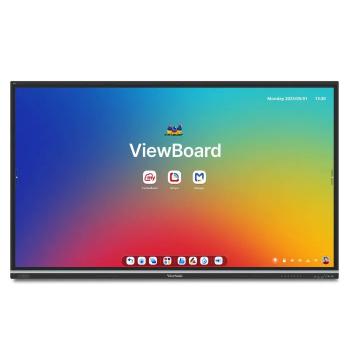
ViewSonic ViewBoard 86" 4K Infrared Touch (IFP8651)
86" · 4K UHD · ViewBoard OS EDLA · 50 pt touch
How should I choose?
- Older laptops, DisplayPort or VGA sources, or a room-control system: ViewSonic IFP8652-2ED.
- Most HDMI and USB 3.0 ports with a wall bracket in the box: MAXHUB E3 E8630.
- An estate already standardised on Samsung displays, with two HDMI sources: Samsung WAF.
- Several boardrooms: pick one model and one video bar per room type, so every room works the same way.
Get all three quoted
Ask for a quotation on all three with the same video bar and mount, and compare the totals side by side.
Frequently asked questions
Which of the three has built-in microphones?
The ViewSonic IFP8652-2ED, with an 8-microphone array. Our listings for the MAXHUB E3 and Samsung WAF do not show microphones.
Can these panels run Windows?
Not built in. Our listings for these three do not show an OPS slot, so connect a PC over HDMI or USB-C — or choose a model with an OPS slot listed, such as the ViewSonic IFP8651.
Are these panels Microsoft Teams Rooms certified?
Our listings do not show Teams Rooms certification for these three panels. Certification usually applies to the video bar or room system, so check Microsoft's certified-hardware list for the bar you choose.
Can I get all three quoted to compare?
Yes. Ask for all three on one request with the same mount and video bar, and you receive an itemised written quotation in OMR.
About TouchScreens Oman
TouchScreens Oman supplies interactive displays, video conferencing, digital signage, mounts and OPS PCs to organisations across the Sultanate, on a quotation-only basis. Guides are written from our catalogue data and the sources listed.
Sources: MAXHUB E3 86" 4K, Android 14 (E8630) — specifications (TouchScreens Oman); Samsung WAF 86" Interactive Display (LH86WAFWLGCXZA) — specifications (TouchScreens Oman); ViewSonic ViewBoard 86" EDLA (IFP8652-2ED) — specifications (TouchScreens Oman); MAXHUB E3 Series (MAXHUB); MAXHUB Interactive Flat Panel E8630 datasheet (PDF) (MAXHUB); Interactive Display WAF 86" (LH86WAFWLGCXZA) (Samsung); ViewBoard IFP8652-2ED (ViewSonic); Teams Rooms certified systems and peripherals (Microsoft); Zoom certified hardware (Zoom).