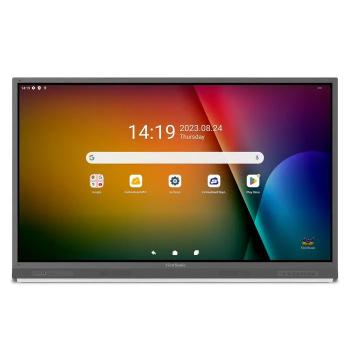
65" · 4K UHD · Android 13


Buying guide
 6 min read
What size interactive panel does an Omani classroom need?
Measure the distance to the back row, then apply one rule from the AV industry's display-sizing standard. Here is the method, the numbers for 65", 75", 86" and 98" panels, and what else to check before you order.
6 min read

KEY TAKEAWAYS
- Size the panel from the distance to the back row: with normal presentation text, the back row should be no more than 6 times the screen's image height away.
- That puts the back-row limit at about 4.9 m for a 65" panel, 5.6 m for 75", 6.4 m for 86" and 7.3 m for 98".
- If teachers use larger fonts (text about 4% of screen height), the same panels work to about 6.5 m, 7.5 m, 8.6 m and 9.8 m.
- When a room falls between two sizes, choose the larger panel — or raise the minimum font size.
- Check the wall, the mounting height and whether you need Windows (OPS) before ordering: listed weights for 86" panels in our catalogue run from about 49 kg to 104 kg.
How big should a classroom panel be?
Big enough that a student in the back row can read the smallest text you show. The AV industry standard for this — ANSI/AVIXA V202.01:2016, known as DISCAS — links screen size to two things: the distance to the farthest viewer and the height of the text on screen.
For everyday teaching — reading slides, worksheets and web pages, which DISCAS calls basic decision making — the formula is: farthest viewer distance = image height × text height (as a share of image height) × 200. With text at 3% of the image height, a common starting point, the back row can be up to 6 times the image height away.
Quick maths
A 16:9 panel's image height is its diagonal × 0.49. A 75" panel is about 93 cm tall, so at 6× the back row can sit up to about 5.6 m away. With text at 4% of the screen height (8×), that becomes about 7.5 m.
Which panel size for which room depth?
Measure from the board wall to the back row of desks, then pick the smallest panel whose limit covers that distance.
| Panel size | Image height | Back row, normal text (6×) | Back row, large text (8×) |
|---|---|---|---|
| 65" | 81 cm | 4.9 m | 6.5 m |
| 75" | 93 cm | 5.6 m | 7.5 m |
| 86" | 107 cm | 6.4 m | 8.6 m |
| 98" | 122 cm | 7.3 m | 9.8 m |
| 110" | 137 cm | 8.2 m | 11.0 m |
The older 4-6-8 rule — divide the farthest distance by 4, 6 or 8 — gives the same answers at 2%, 3% and 4% text height. DISCAS simply makes the text size explicit, so you can check your own content.
MENTIONED IN THIS GUIDE
ViewSonic ViewBoard 75" Android 13 EDLA Certified (IFP7552-2ED)
A 75" Android 13 panel with 40-point touch — suits back rows up to about 5.6 m with normal text.
MENTIONED IN THIS GUIDE
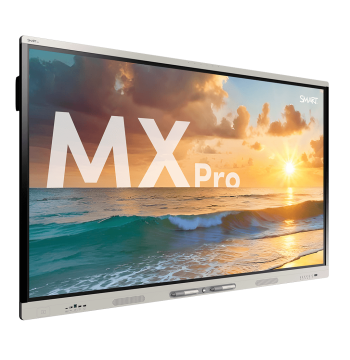
SMART Board MX086-V5 Pro 86" 4K Interactive Display, 50pt Touch (MX286-V5-PW)
An 86" panel with 50-point touch — for back rows up to about 6.4 m with normal text.
How close can the front row sit?
DISCAS also limits how steeply viewers look up: students in the front row should not have to look more than 30° above eye level to see the top of the image. If a large panel is mounted high, move the first desks back rather than lowering the panel below the students' reach.
Wall mount or trolley?
A wall mount is the most stable option and keeps cables hidden, but the wall must carry the panel plus the mount. Listed weights in our catalogue run from about 36 kg to 84 kg for 75" panels and 49 kg to 104 kg for 86" panels, so always check the specific model.
A height-adjustable trolley suits shared rooms, walls that cannot take the load, and schools where younger and older students use the same panel.
- Match the mount to the panel's VESA pattern and weight — the iiyama MD-WM8060, for example, takes VESA patterns up to 800 × 600 mm and 125 kg.
- Trolleys need level floors and lockable castors.
- Check door widths, corridors and lifts: panels of 65" and above are two-person loads.
MENTIONED IN THIS GUIDE
CleverTouch Motorised Mobile Trolley 500mm Height, 86" (1542409)
Motorised trolley for panels up to 86", with 500 mm of electric height adjustment.
How high should the panel be mounted?
High enough that everyone can see the top of the image, and low enough that the people who write on it can reach. SMART, for example, bases panel height on the midpoint between the reach of the students and the teacher. As a reach reference, the US ADA Standards put the unobstructed forward reach range at 380–1,220 mm above the floor.
Where students of different ages share a room, a motorised lift or height-adjustable trolley avoids settling on one compromise height.
Android, Windows or OPS?
Built-in Android is the simplest choice for teaching: whiteboard, screen sharing and apps with no separate computer. Add a slot-in OPS PC when the school requires Windows, domain login or specialist software — and check that the panel has an OPS slot first. Newer panels run Android 13, 14 or 15, and some are Google EDLA certified for access to Google services.

MENTIONED IN THIS GUIDE
SMART PCM13 Series OPS Module (13th Gen Core, 4K UHD, Wi-Fi 6e)
Slot-in OPS PC with a 13th-gen Intel Core processor and Windows 11 Pro.
What should a classroom panel request include?
- Each room's depth to the back row, and how many rooms of each size
- The content shown and the smallest font teachers use
- Wall type per room, or trolley instead
- Android only, or Android plus an OPS PC (and which Windows edition)
- Installation, and the delivery location by governorate and wilayat
- The date the rooms must be ready
Send us the room list
Send each room's depth and wall type, and we size every classroom and return one quotation per school or programme.
Frequently asked questions
Is 65" big enough for a classroom?
Only for small rooms. With normal presentation text, a 65" panel serves a back row up to about 4.9 m; beyond that, move up to 75" or 86".
Does 4K matter in a classroom?
Yes for detailed content: a 3840 × 2160 panel keeps small text and diagrams sharp for students near the front. For the back row, screen size matters more than resolution.
What size panel does a lecture hall need?
Often more than one panel can cover. A 98" panel reaches about 7.3 m with normal text and a 110" about 8.2 m; beyond that, add repeater screens along the side walls or raise the minimum font size.
Can one quotation cover a whole school?
Yes. Send the room list and we quote panels, mounts or trolleys, OPS PCs and installation together.
About TouchScreens Oman
TouchScreens Oman supplies interactive displays, video conferencing, digital signage, mounts and OPS PCs to organisations across the Sultanate, on a quotation-only basis. Guides are written from our catalogue data and the sources listed.
Sources: ANSI/AVIXA V202.01:2016 Display Image Size for 2D Content in Audiovisual Systems (DISCAS) (AVIXA); The Qualiverse: determining display size (Level 3 Audiovisual); DISCAS display sizing (Riser Tools); 16:9 TV dimensions calculator (Inch Calculator); 2010 ADA Standards for Accessible Design (§308 Reach ranges) (U.S. Department of Justice); Mounting the display — SMART Board 4000 series (SMART Technologies); Oman Vision 2040 — national priorities (Oman Vision 2040 Implementation Follow-up Unit); ViewSonic ViewBoard 75" Android 13 EDLA (IFP7552-2ED) — specifications (TouchScreens Oman); SMART Board MX086-V5 Pro 86" — specifications (TouchScreens Oman).